-
Navigate to Manager > Reports > Nxsys Payroll Report
-
Click on Staff &Rate Sync
-
Hit Sync on the right
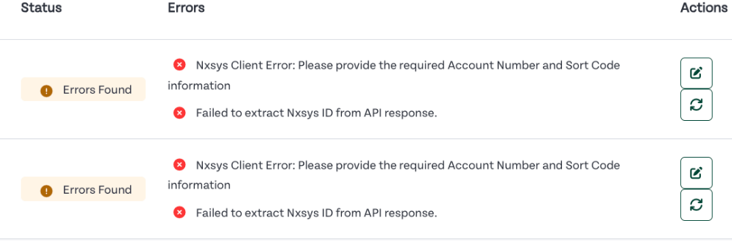
- If any errors occur, click "Show Details" to view the error information
-png.png?width=1426&height=209&name=Syncing%20Users%20from%20HR%20Duo%20to%20Nxsys%20(1)-png.png)
5. Click on the edit icon to resolve any issues. Make the changes and return to this page.
6. Once complete, click on the sync icon to re-sync the user. The user will return as successful and sync to Nxsys