
-
Go to Manager > Staff, Tick Show Archived List checkbox.
-
Click on the employee’s name.
-
Select System Details, Click Unarchive and toggle Employee Active Status on.
- In the Contract Details section, ensure there is a leaving date and leaving reason from their previous period of employment.
- Ensure a contract record has been previously created (related guide) and the contract end date added to this
- Click on the Bring Back Employee Button
- Add the New Start Date, hit Submit
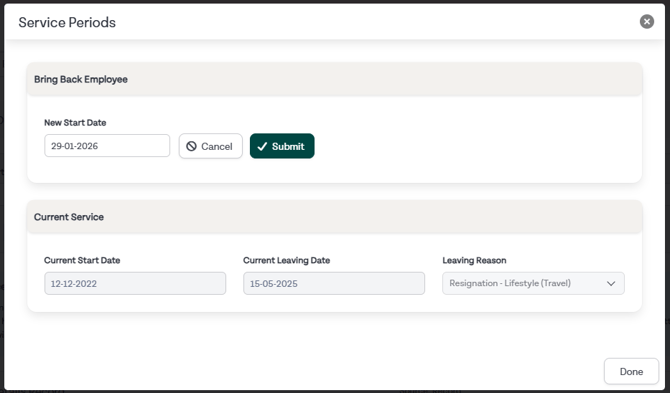
- Add a Continuous Start Date if required
- Create a new contract record with the details of the employee's new contract (related guide)
- If a person leaves and returns in the same annual leave year, a leave adjustment will be created to zero their annual leave balance.
Related Guides: