
- Click on the ⚙️ icon
- Select Company Settings
- Choose Leave Settings from the left menu
- Scroll down to Leave Types
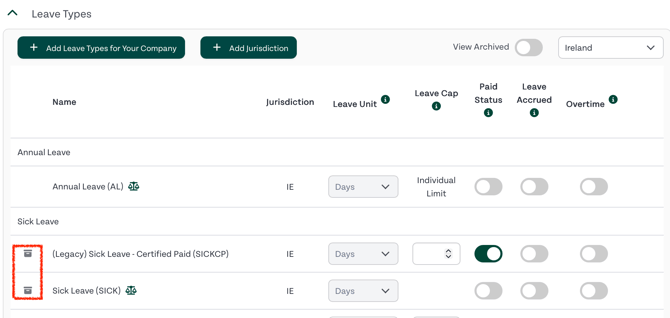
- In the right corner, choose the relevant jurisdiction (Ireland or United Kingdom)
- Click on the bin icon to the left of a leave type you would like to archive here
- On the pop up screen, confirm your decision
Related Guides: