![HR_Duo SecondryLogo Black-3.png]](https://guide.hrduo.com/hs-fs/hubfs/HR_Duo%20SecondryLogo%20Black-3.png?height=40&name=HR_Duo%20SecondryLogo%20Black-3.png)
- Go to Roster
- Select the correct roster name
- Click on pencil icon beside the roster name
- On the pop-up window, click on the Staff Timeline tab
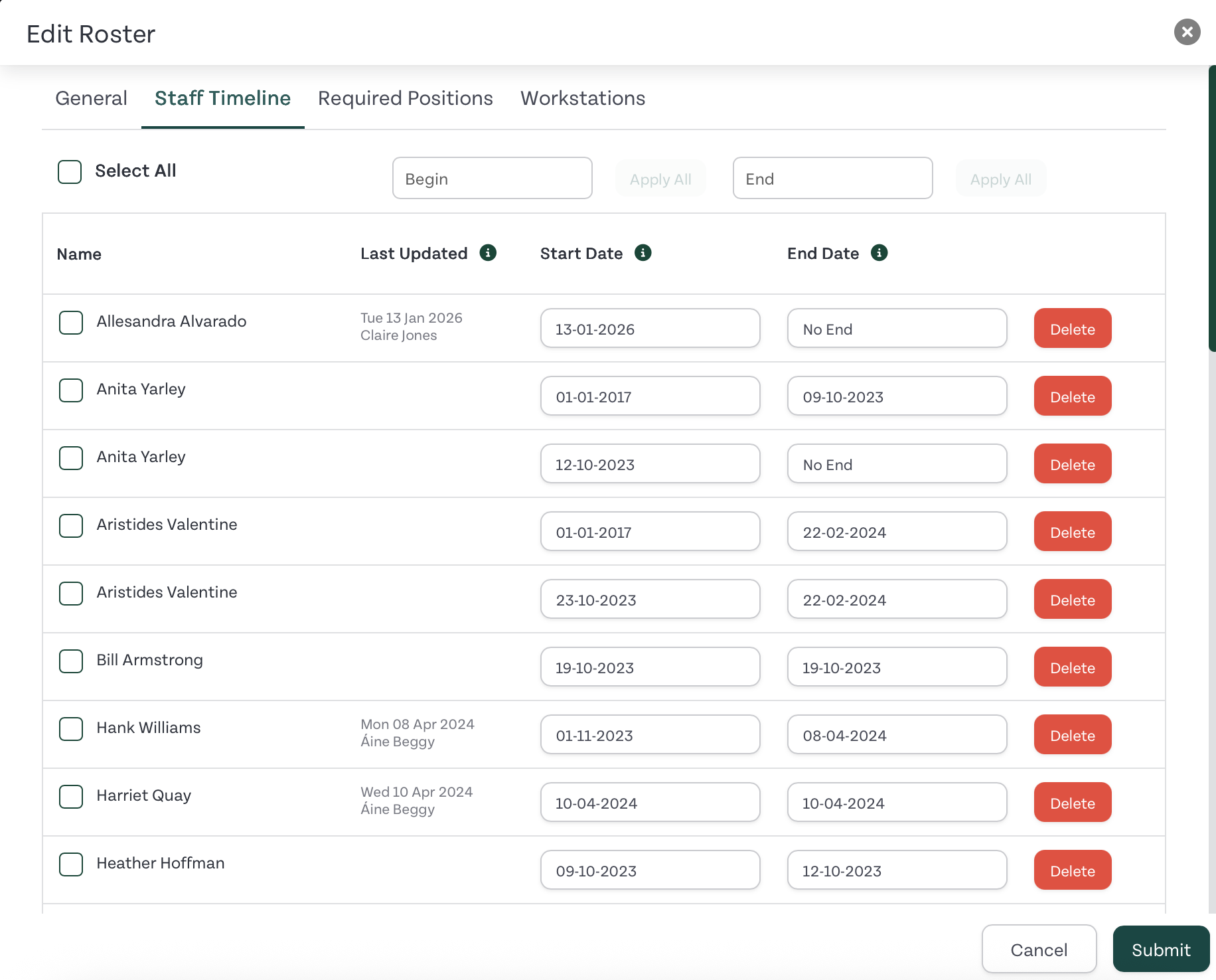
- Scroll down to the employee’s name and select the Start/End Date
- Click on the Submit button to save the changes
Related Guides: