![HR_Duo SecondryLogo Black-3.png]](https://guide.hrduo.com/hs-fs/hubfs/HR_Duo%20SecondryLogo%20Black-3.png?height=40&name=HR_Duo%20SecondryLogo%20Black-3.png)
-
Go to Manager > Staff, Tick Show Archived List checkbox.
-
Click on the employee’s name.
-
Select System Details, Click Unarchive
- In the Contract Details section, ensure there is a leaving date and leaving reason from their previous period of employment.
- Click on the Bring Back Employee Button
- Add the New Start Date, hit Submit
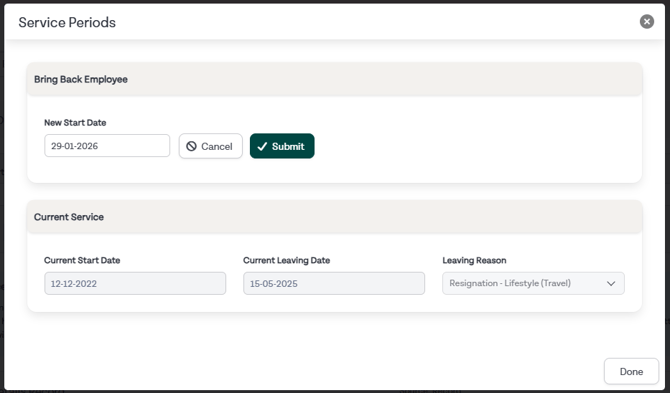
- Add a Continuous Start Date if required
- If a person leaves and returns in the same annual leave year, a leave adjustment will be created to zero their annual leave balance.
Related Guides: